

iStorm Blog
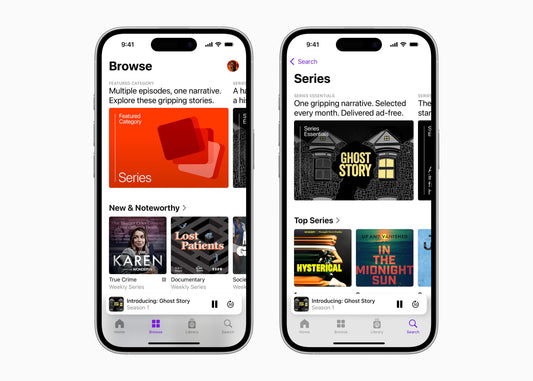
Apple Podcasts highlights narrative series
A new chart, a new category, and a celebration of top series launch today exclusively on Apple Podcasts.
Apple Podcasts highlights narrative series
A new chart, a new category, and a celebration of top series launch today exclusively on Apple Podcasts.

Balatro+ by LocalThunk and Playstack
Players combine poker hands with wild cards, each with their own unique abilities, to create a variety of synergies and strategies.
Balatro+ by LocalThunk and Playstack
Players combine poker hands with wild cards, each with their own unique abilities, to create a variety of synergies and strategies.
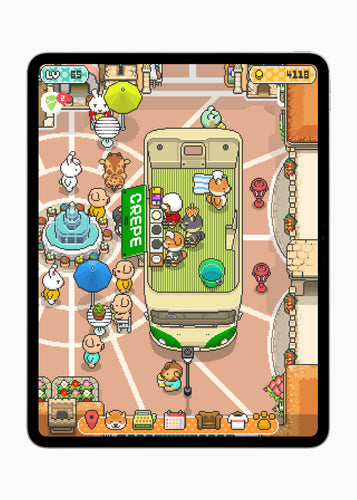
Food Truck Pup+ by GAME START
Players can create unforgettable moments alongside the best chef dogs around. Work hard to build a delicious global crepe business from scratch and watch it...
Food Truck Pup+ by GAME START
Players can create unforgettable moments alongside the best chef dogs around. Work hard to build a delicious global crepe business from scratch and watch it...
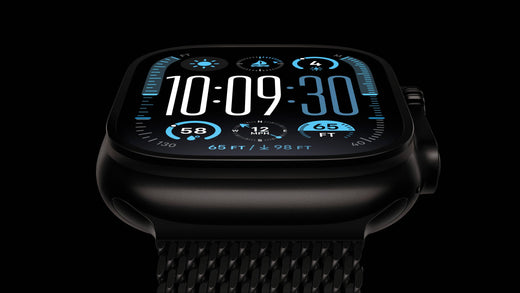
Apple Watch Ultra 2. New finish. New adventures.
The ultimate sports watch is packed with additional information, including sleep apnea alerts, and is now offered in a stunning new finish along with a...
Apple Watch Ultra 2. New finish. New adventures.
The ultimate sports watch is packed with additional information, including sleep apnea alerts, and is now offered in a stunning new finish along with a...
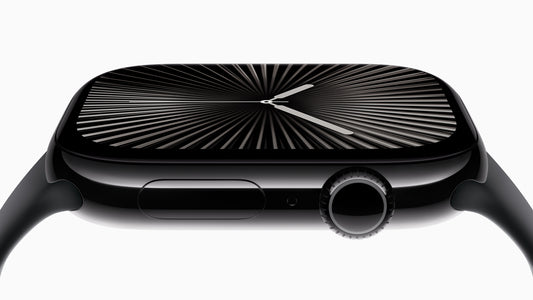
Apple Watch Series 10. Triumph in the minute.
The world's most popular watch is thinner than ever and features the largest and most advanced display, sleep apnea alerts, faster charging, and depth and...
Apple Watch Series 10. Triumph in the minute.
The world's most popular watch is thinner than ever and features the largest and most advanced display, sleep apnea alerts, faster charging, and depth and...

Apple introduces the iPhone 16 Pro and iPhone 16 Pro Max
Powered by the A18 Pro chip and built for Apple Intelligence, the Pro series introduces larger screen sizes, Camera Control, innovative pro camera features, and...
Apple introduces the iPhone 16 Pro and iPhone 16 Pro Max
Powered by the A18 Pro chip and built for Apple Intelligence, the Pro series introduces larger screen sizes, Camera Control, innovative pro camera features, and...
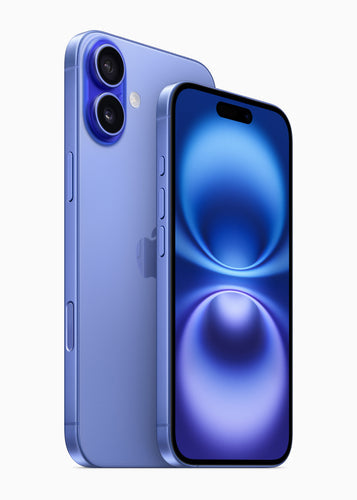
Apple introduces the iPhone 16 and iPhone 16 Plus
Built to support Apple Intelligence with the all-new A18 chip, both models feature Camera Control, powerful upgrades to the advanced camera system, the Action button...
Apple introduces the iPhone 16 and iPhone 16 Plus
Built to support Apple Intelligence with the all-new A18 chip, both models feature Camera Control, powerful upgrades to the advanced camera system, the Action button...
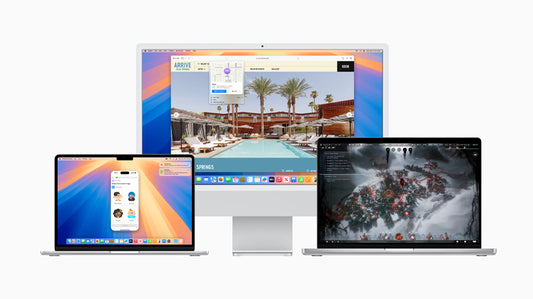
macOS Sequoia
Upgrade your Mac experience with iPhone Mirroring, Safari improvements, and more new, unique features.
macOS Sequoia
Upgrade your Mac experience with iPhone Mirroring, Safari improvements, and more new, unique features.
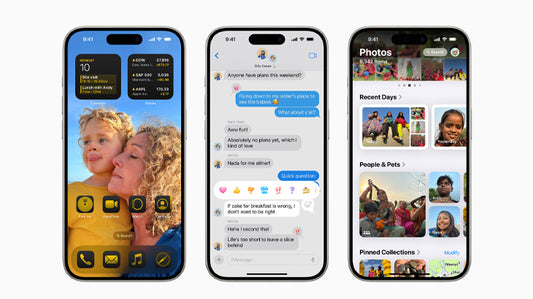
iOS 18
The new software comes to upgrade the capabilities and intelligence of the devices.
iOS 18
The new software comes to upgrade the capabilities and intelligence of the devices.

WWDC 2024 news
Apple's WWDC 2024 keynote revealed a number of exciting updates and features, with artificial intelligence taking center stage through the introduction of Apple Intelligence.
WWDC 2024 news
Apple's WWDC 2024 keynote revealed a number of exciting updates and features, with artificial intelligence taking center stage through the introduction of Apple Intelligence.

4 Reasons Why Apple Devices Are Ideal for the Workplace
Given the changing business environment, where you can easily move from one industry to another, you definitely need a device that fits every role in...
4 Reasons Why Apple Devices Are Ideal for the Workplace
Given the changing business environment, where you can easily move from one industry to another, you definitely need a device that fits every role in...

AirTag battery
Apple's ultimate go-to gadget. You can always know where your things are, simply by using Find My.
AirTag battery
Apple's ultimate go-to gadget. You can always know where your things are, simply by using Find My.