Service iStorm

Trust your device to an Apple expert!
iStorm, as an Apple Authorised Service Provider, is
central service point for servicing all Apple products.
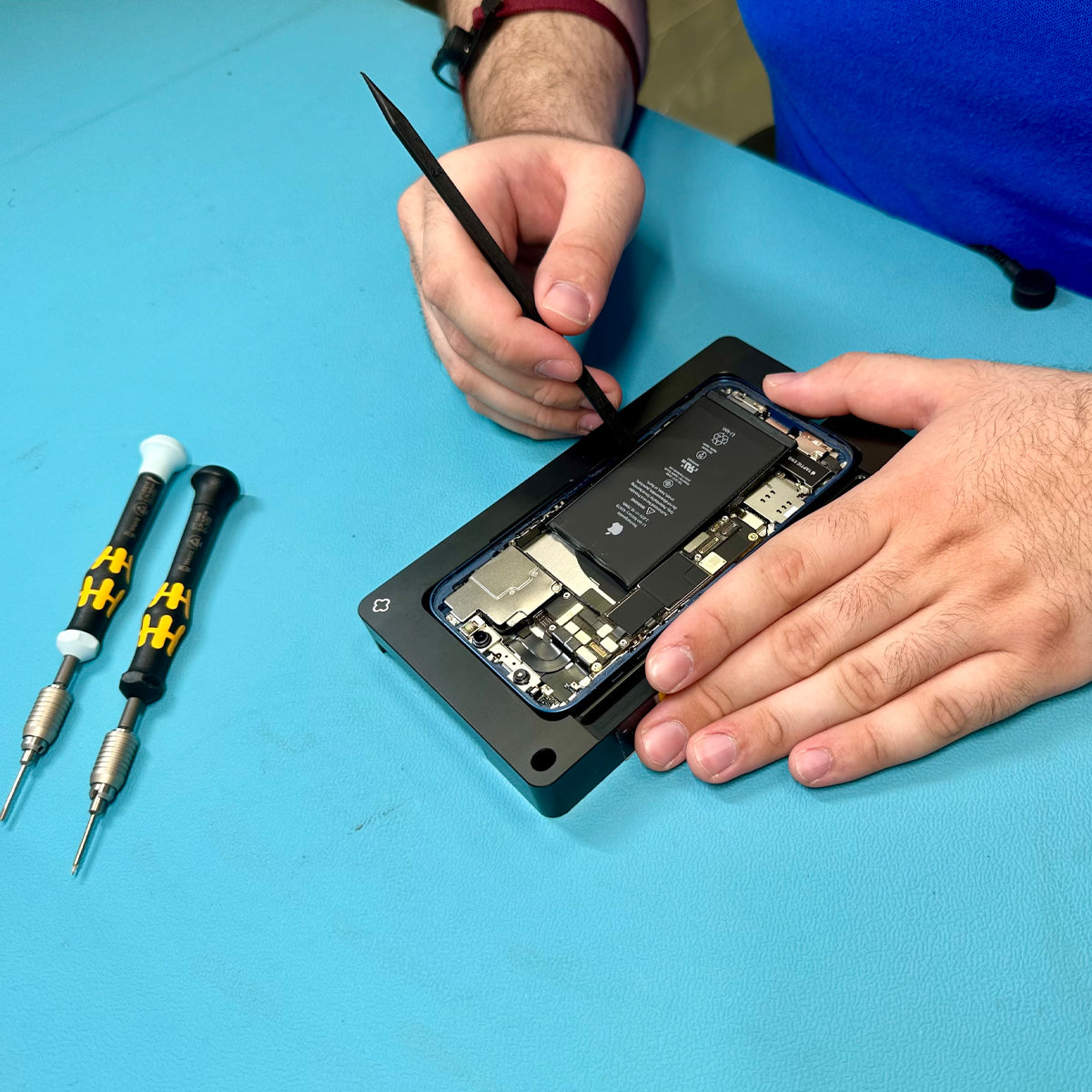
Why should you trust us?
- Official Apple repair center
- Top quality service
- Experienced technicians, certified by Apple
- Specialization in Apple products
- Genuine Apple spare parts
- Maintaining the product warranty
- iStorm repair warranty
- Apple recall programs
How can we help you?


FAQ
Why should I choose iStorm's service?
The warranty provided by Apple is one year.
In the case of purchase with a receipt, a second year is provided by iStorm, as an official reseller.
For purchases with invoice, only Apple's one-year warranty applies. Learn more about Apple's warranty here.
What are the operating hours of the service department?
Connect your device to a Wi-Fi network, go to Settings > [your name], and select “iCloud.” Select “iCloud Backup,” then “Back Up Now.” Learn more about the Backup process here .
Do I need to book an appointment for service?
To turn off Find My, go to Find My Devices on iCloud.com, select the device from the All Devices list on the left, and click Remove This Device. Learn more here .
What is the warranty period of my device?
If you want to clean your headphones without causing any problems with the device, follow the instructions here .
Can I have my device repaired if the warranty has expired?
Of course! We support devices both in and out of warranty.
The only requirement for out-of-warranty devices is that Apple continues to provide the necessary spare parts.
This stops being the case when a product is classified as «vintage», meaning 5 to 7 years after its official discontinuation.
Find out if your device is still eligible for service here.
What warranty do Apple spare parts have?
Apple replacement parts, as well as replacement devices, are covered by a 3-month warranty or by the device's original warranty, whichever lasts longer.
What will happen to the broken device or the broken spare parts you removed from my device? Can I get them back?
All damaged spare parts or devices are returned to Apple, regardless of whether the repair was covered by the warranty.
Is there an active service program or recall from Apple?
You can view all available service programs from Apple here.
How long does the inspection and repair of my device take?
If you've forgotten your Apple ID password, go to Settings, tap your name > Sign-in & Security > Change Password, and follow the onscreen instructions. Learn more here .
Will my device be repaired at the store, or be sent somewhere?
Products are considered obsolete when Apple has stopped distributing them for sale for 5 to 7 years. Find out if your device is beyond repair here .
Can I track the progress of my repair?
Use a computer to put your iPhone into recovery mode so you can erase your phone and set it up again. Find more information about resetting your passcode on other Apple devices here .
Do I need to do anything before bringing the device to the service center?
Yes, for the best and fastest service, make sure you have done the following:
- Backup: Back up your data.
- Find My: Turn off "Find My" (this is required for repairs to proceed).
- Purchase Receipt: Keep your purchase receipt with you in case it is needed for warranty coverage.
Can I send my device for service?
Absolutely! You can send us your device. To ensure the process goes smoothly, follow these simple steps:
Before shipping:
- Unpair your Apple Watch: If you have a paired Apple Watch, unpair it (the Watch will automatically create a backup).
- Backup & Erase: Make a backup of your data and then reset/erase your device.
- Accessories: Remove any cases, screen protectors, and your SIM card.
- Charger: Do not send the charger or other accessories, unless the issue is exclusively related to charging.
For shipping:
You can use any courier company you wish, covering the shipping costs yourself. Visit the iStorm store that serves you here and send the package directly to its address.
- What to include in the package: Don't forget to include a note with your contact details (full name, phone number, email) and a brief description of the issue your device is experiencing.
- Delivery confirmation: As soon as we receive your package, we will call you immediately to confirm safe delivery.
- Return shipment to you: Once the inspection or repair is complete, we can return your device via ACS. The shipping cost is 6€ and includes full package insurance.
How do I back up?
Connect your device to a Wi-Fi network, go to Settings > [your name], and select "iCloud". Select "iCloud Backup" then "Back Up Now".
Learn more about the backup process here.
How do I turn off Find My?
To disable Find My, go to «Find My Devices» on iCloud.com, select your device from the «All Devices» list on the left, and click «Erase this Device» or turn it off directly from your device by going to Settings > [Your Name] > Find My.
Learn more here.
I have a problem with Find My. Can iStorm help me?
For issues related to Find My, only Apple has access to the necessary account details and can provide relevant support.
If you have lost your device or need help with Find My, contact Apple Support directly:
📞 Apple Support Greece: 00800 4414 5417 or 210 300 9960
👉 Contact
How do I reset my Apple ID password?
If you forgot your Apple ID password, go to «Settings», tap your name > Sign-In and Security > Change Password and follow the onscreen instructions.
Learn more here.
How do I reset my iPhone passcode?
Use a computer to put your iPhone into recovery mode so you can erase and reconfigure your device.
Find more information about resetting your passcode and other Apple devices here.
What is the fee for the technical inspection?
The minimum technical inspection fee applies when the device is out of warranty and no repair has been performed.
The cost comes to 25€ for iOS devices and 35€ for Mac devices.
What payment methods are available for the Service?
You can pay for the Service using the store’s available payment methods, as well as in installments via Klarna or credit card (via Viva). For credit card payments, up to 12 interest-free installments apply for amounts up to 200€ and up to 48 interest-free installments apply for amounts of 200€ and above (This applies to Visa, Mastercard, Maestro, Diners, Discover cards).
How long does it take and how much does it cost to replace an iPhone screen?
If the spare part is readily available in the store, the replacement is completed on the spot.
The replacement cost starts from 119€.
Find out more here.
How long does an iPhone battery replacement take, and how much does it cost?
If the spare part is immediately available in the store, the replacement is carried out instantly.
The replacement cost starts from 79€.
Find out more here.
If I change the battery, will my phone lose its water resistance?
No. When battery replacement is performed at an Apple Authorized Service Provider, Apple’s official factory specifications are strictly followed.
During the repair, the old waterproof seal is removed, the device is thoroughly cleaned, and new genuine sealing tapes are applied. Apple’s specialized equipment is then used to apply the required pressure for the correct amount of time, and the scheduled diagnostic checks are completed.
This process maintains the device’s water and dust protection in line with the model’s specifications. However, water resistance is not permanent and can naturally decrease over time with use.
What is the cost of Mac repair?
Due to the complexity of computer construction and the large number of components that could be affected, it is not possible to provide a reliable cost estimate without a prior technical inspection of the device.
How can I improve the battery life?
For better battery performance and lifespan, follow Apple's recommendations here.
Can I bring my device in for cleaning?
We do not provide cleaning services for any device.
How can I clean AirPods, AirPods Pro, AirPods Max and EarPods?
If you want to clean your headphones without causing any issues to the device, follow the instructions here.
I lost an AirPod or the charging case. Can I buy a single part?
Absolutely! You can buy the AirPod part or the case separately.
Do you have replacement parts for AirPods? / Can I purchase replacement parts or ear tips for AirPods?
For the availability of headphone replacement parts, such as ear tips, you can visit one of our stores or alternatively contact our Customer Support Team at 211 999 7590, from Monday to Friday (10:00–18:00).
For the best possible service, we recommend having your AirPods serial number available so that a more accurate check of compatibility and availability can be performed.
AirPods replacement parts cannot be returned in the event of an incorrect selection, as for hygiene reasons their return is not supported.
You can find the correct replacement parts for your AirPods, as well as their cost, here.
Can I pick up my device from the service after business hours?
The service department's hours, during which a technician is available at all stores, are Monday - Friday 10:00-18:00. That said, if you have been notified that your device is ready for pickup or you wish to drop off a device for service, you can receive assistance normally during the operating hours of the respective store.
You can contact the Customer Support department at 211 999 7590 (Monday–Friday, 10:00–18:00) or reply to the email you received from service to have your request reviewed.
Do you offer a replacement device while mine is being repaired?
Temporary replacement devices are not available at iStorm stores during repair or technical inspection.
However, our team will make every effort to ensure that your service and repair process is completed as quickly as possible.
We understand how important your device is to your daily routine, and we are committed to providing you with the fastest possible service.
What is the repair or replacement process for iPad and Apple Watch?
For any iPad or Apple Watch replacement, you must bring your device to one of our stores so that the necessary technical inspection and evaluation can be carried out.
After the evaluation, the device will be sent to Apple’s authorized service center, where it will be decided whether a repair or replacement will be carried out. The final decision is made exclusively by Apple.
My Apple device was stolen. What should I do?
In the event of a device being stolen, it is important to contact Apple immediately at 210 300 9960 so that you can receive guidance regarding the use of Find My, the protection of your Apple ID, and the security measures you must follow. Additionally, it is recommended that you also take the necessary steps with your mobile service provider and the relevant authorities without delay.
Immediate response is particularly important for the best possible protection of your personal data and your device.
Can photos that have been deleted from my device be recovered?
If your photos were recently deleted, you can recover them from the “Recently Deleted” folder in the Photos app on iPhone, iPad, Mac, or at iCloud.com. For more specialized support, you can also contact Apple directly.
Can I bring my HomePod in for service?
No, iStorm does not offer service or repairs for HomePod devices.